


CSV labels that stay attached to the right QR code
When managing 50 restaurant tables, exhibition booths or serialized equipment stickers, anonymous filenames like qr-19.png cause costly printing mix-ups. Put Label,URL on each CSV line (or export two columns from Excel / Google Sheets): QRacade names your files in exact row order (001-Table-01.svg) and optionally prints the label cleanly outside the four-module quiet zone.
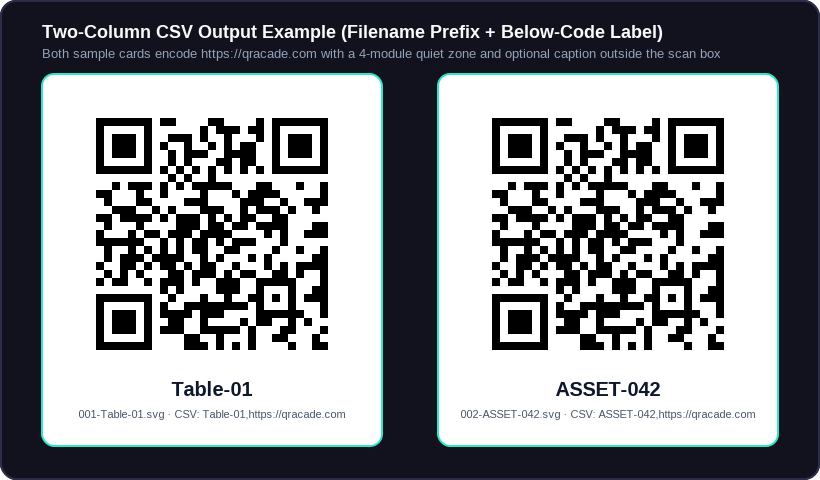
https://qracade.com, decoded locally with jsQR): labels stay strictly beneath the white margin.Recommended settings by batch scenario
| Use case | CSV example row | Best ECC & export |
|---|---|---|
| Restaurant tables | Table-12,https://yoursite.com/menu?t=12 | Level M · SVG ZIP for signage / PNG ZIP for templates |
| IT & office asset stickers | LAPTOP-042,https://it.yoursite/a/42 | Level Q · keep Foreground pure dark on matte label |
| Event badges & booths | Booth-A17,https://expo.yoursite/a17 | Level L/M · enable first-column caption for instant ID |
PNG ZIP vs True Vector SVG ZIP
PNG ZIP exports integer-scaled bitmaps at least 600 px wide (plus optional caption room) for drag-and-drop tools like Canva or Google Docs. SVG ZIP writes pure vector module paths and text nodes—zero embedded PNGs—ideal for Adobe InDesign Data Merge, Illustrator print plates and variable-data label presses.
Related batch & custom tools
Bulk 1D barcode generator
Batch up to 100 CODE 128, EAN-13 or UPC-A labels from CSV/Excel.
1D Bulk ZIPAdd text under single QR code
Fine-tune a single QR code caption, logo and custom frame.
Single CaptionPrint size & DPI checklist
Check pixel resolution and millimeter limits before batch printing.
Print Rules