Round style, real QR structure (and what actually changes)
Whether people search for a round QR code or circular QR code, every valid phone scanner still expects a rectangular matrix with three corner finder eyes and a clean four-module border. Changing squares into circular dots leaves the data grid unchanged, but physically alters how much dark ink fills each module cell—which is why QRacade verifies every circular style via jsQR, native BarcodeDetector and ZXing before enabling downloads.
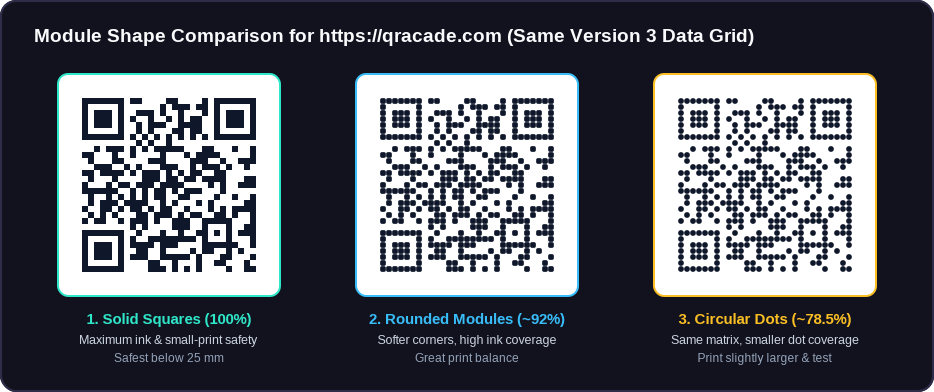
https://qracade.com: identical data grid painted as solid squares (left), rounded modules (center) and circular dots (right).Why circular dots need larger print & sharper contrast
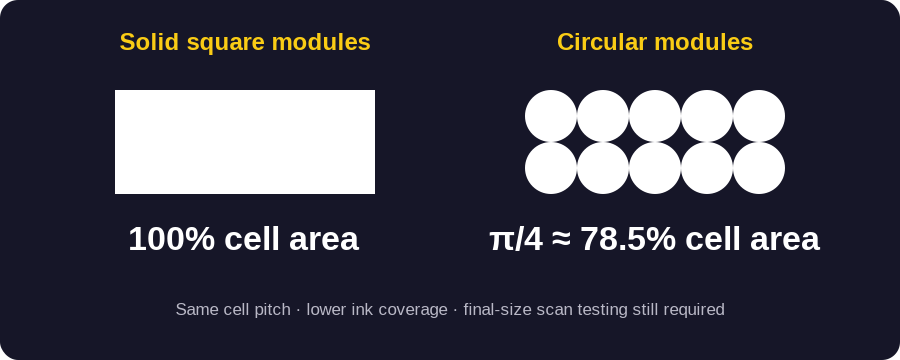
Because an inscribed circle occupies π/4 ≈ 78.5% of the cell area compared to a solid square, dots leave extra white paper showing between diagonal neighbors. Under dim restaurant lighting or compressed screenshots, cameras lose module edges sooner than on square grids.
| Shape choice | Ink area / cell | Print recommendation |
|---|---|---|
| Circular dots (default above) | ~78.5% | Print at least 30–35 mm wide on packaging/posters; keep black on white |
| Rounded / Classy rounded | ~88–95% | Strong compromise between soft brand aesthetics and scan reliability |
| Solid squares | 100% | Best choice for tiny business cards (<25 mm), metal tags or dense vCards |
Tips before printing circular QR codes
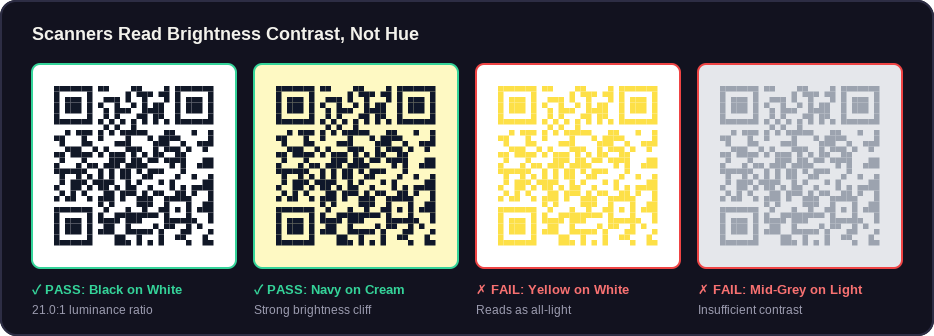
- Stay dark on white: circular dots combined with pastel ink or dark-mode backgrounds often push scanners past their contrast limit.
- Go easy on center logos: dots already reduce module area—keep any center mark compact under Logo and verify with two real phones.
- Inspect exported PNGs: run your downloaded file through the local QR code test tool to check contrast and quiet zone measurements before going to press.