


How to find your Google Review link & create the QR code
- Grab your review link from Google Business Profile: sign into Google with the account that manages your listing, search your exact business name on Google Search or Maps, click Ask for reviews, and copy the short
https://g.page/r/.../reviewlink. (Alternatively, look up your Place ID via Google’s Place ID Finder and usehttps://search.google.com/local/writereview?placeid=YOUR_PLACE_ID.) - Test the link while signed in on a phone: paste it into a mobile browser first to confirm it jumps straight to the 5-star review popup instead of an empty Maps search page.
- Style your stand or card & export crisp print files: add a frame phrase in the Frame tab (or upload your shop logo under Logo), then download PNG above 1000 px—or open Vector QR (SVG/PDF/EPS) for professional counter stands and laser-engraved plaques.
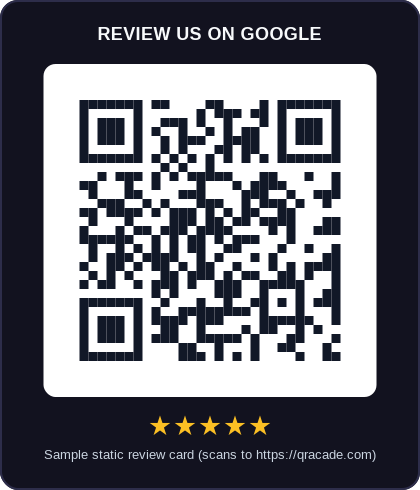
https://qracade.com): clean dark-on-light contrast inside a dark card.Why static matters for counter stands & stickers
Many “free” QR tools secretly put a trial redirect in front of your Google Review URL. A month later, after you have ordered 200 acrylic stands, packaging cards or window decals, the stand dies unless you pay monthly.
QRacade encodes your real Google review link directly into the black-and-white pattern. Nothing sits in between, and no subscription can switch it off.
Want custom text right beneath the code outside the quiet zone—like “Scan to review on Google”? Open our Add text under QR code tool.
Where review QR codes convert best
| Placement | Suggested code width | Tips for higher scan rate |
|---|---|---|
| Checkout / reception acrylic stand | 40 – 55 mm (1.5 – 2.2 in) | Use matte cardstock inside glossy sleeves to prevent ceiling glare |
| Packing slips & thank-you cards | 28 – 35 mm | Pair with a short specific ask (“Tell us how we did!”) |
| Service invoices & business cards | 25 – 32 mm | Export Vector SVG/PDF so lines print cleanly at 300+ DPI |
| Restaurant menus & table tents | 35 – 45 mm | Keep review QR separated from your menu QR code so guests scan the right one |
Frequently asked questions
How do I get my Google Review link?
Search your business while signed into your Google Business Profile, open Ask for reviews, and copy the short g.page/r/.../review URL—or build search.google.com/local/writereview?placeid=YOUR_ID.
Will my Google Review QR code ever expire?
No. QRacade creates static QR codes with no middleman redirect or recurring trial fee, so printed stands stay active indefinitely.
Can I add text like 'Leave us a Google Review' under the QR code?
Yes—select a callout frame here, or use our caption tool to print custom text cleanly below the four-module quiet zone.
What size should I print a Google Review QR code on a counter stand?
35–50 mm wide works smoothly at desk distance, with dark-on-light contrast and matte finish to avoid overhead reflections.
Does QRacade need access to my Google Business account?
No. Only paste your public review share link—your Google account stays untouched.