


How to make a crisp, fast-scanning Instagram QR code
- Use the canonical URL without share clutter: enter
https://www.instagram.com/yourhandle/(or clean post/Reel link) and delete trailing?igsh=...or&utm_source=...parameters unless you actively measure UTMs. - Pick dark-on-light contrast for print: Instagram’s gradient pastel themes look flashy inside the app, but solid dark modules on white scan far faster on glossy packaging, flyers and stickers in dim lighting.
- Optionally add your brand logo: upload a centered logo in the Logo tab; QRacade keeps it inside the Level-H error budget and verifies the finished image with multiple decoders.
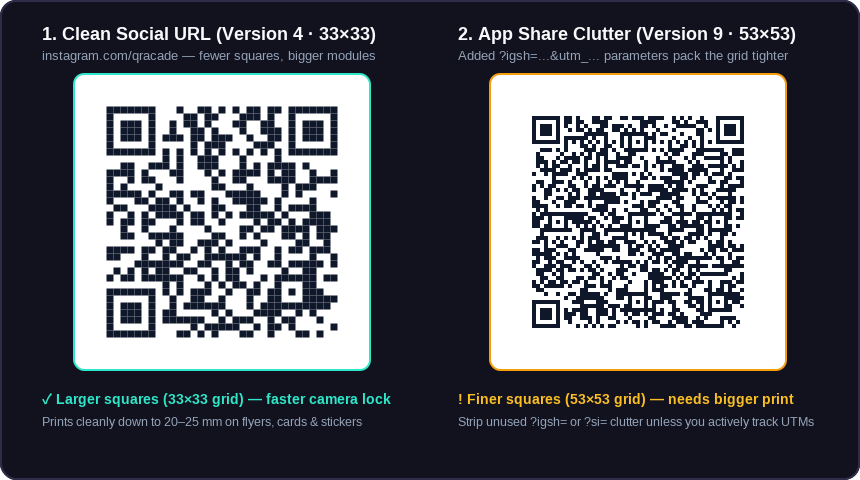
?igsh=... drops density from Version 9 (53×53) down to Version 4 (33×33) for visibly larger squares.Instagram app QR vs QRacade static export
| Feature | Instagram in-app QR | QRacade Instagram QR |
|---|---|---|
| Supported targets | Profile card only | Profiles, specific Reels, posts or collab links |
| Print formats | Raster image / PNG screenshot | High-res PNG + True Vector SVG, PDF & EPS |
| Screen animation | Static background | Six animated arcade GIF styles (Animated mode) |
| Custom logo / frames | Emoji & fixed gradient | 48 frames, custom shapes, solid hex & uploaded logo |
Frequently asked questions
Why strip '?igsh=' from my Instagram link before making a QR code?
Deleting share parameters shrinks the URL length, giving your QR code fewer, bigger squares that scan cleanly at smaller sticker and packaging sizes.
What is the difference between Instagram's built-in QR code and a static QRacade code?
QRacade lets you target any profile, Reel or post URL, download true vector SVG/PDF/EPS files for print, add a centered logo verified scannable, or generate an animated GIF for streams and digital displays.
Can I add my brand logo inside an Instagram QR code?
Yes—upload a PNG, SVG or WebP mark in the Logo tab; every logo export is decode-checked before download.
Will an Instagram QR code work if I make my account private or rename my handle?
Changing your @handle breaks old static profile links—lock in your username before sending packaging or flyers to print.
Can I animate an Instagram QR code for YouTube, Twitch or booth screens?
Yes. Switch Output to Animated and pick from six character animations that export as lightweight GIFs.