


How to get your TikTok QR code on a PC or Mac
Many creators look for “My QR code” on TikTok’s desktop web app and run into a dead end: TikTok shows your shareable QR card inside the mobile app only (Profile → ☰ Menu → My QR code), while desktop tiktok.com/login only displays a temporary authentication QR for signing in.
- Grab your clean profile link on PC: open
https://www.tiktok.com/@yourhandlein any desktop browser (always include the@sign). - Delete share-tracker junk: if you copied from a share dialog or shortened
vm.tiktok.comlink, use the canonicaltiktok.com/@yourhandleortiktok.com/@handle/video/123456...without?is_from_webapp=1&sender_device=pcparameters. - Generate print or screen exports directly on desktop: export PNG above 1000 px, Vector SVG/PDF for product packaging and merch hangtags, or switch to Animated for stream overlays.
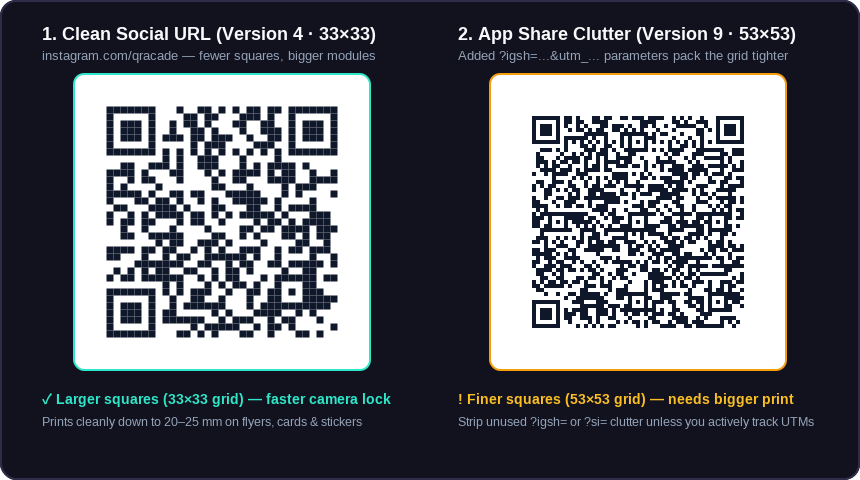
?is_from_webapp=1 or ?_t=) cuts grid complexity so small packaging stickers lock faster.Security warning: profile QR vs login QR
Never screenshot or share a TikTok login QR code—anyone who scans an active login QR from your monitor can authorize their session. Only generate public codes for your @handle, public videos or verified public TikTok Shop links.
Frequently asked questions
How do I see or get my TikTok QR code on a PC or laptop?
TikTok’s mobile share QR screen isn’t shown on desktop web. Copy your tiktok.com/@yourhandle link in your PC browser and generate a print-ready PNG or SVG right above.
Should I clean tracking parameters off copied TikTok share links?
Yes. Removing trailing ?_t=, ?_r= and ?is_from_webapp=1 parameters keeps the grid simple with bigger, easier-to-scan squares.
Can I make a QR code for a single TikTok video instead of my profile?
Yes—copy the clean tiktok.com/@user/video/ID address and paste it into step 1.
What is the difference between a TikTok login QR code and a profile QR code?
Login QRs authenticate an active browser session (keep private); profile QRs link to your public creator page or videos.
Can I animate my TikTok QR code for Twitch streams or YouTube end screens?
Yes. Switch Output to Animated to generate a verified looping GIF with six arcade styles.